
 Kia Forte: Instrument Cluster Control
Adjusting Instrument Cluster Illumination
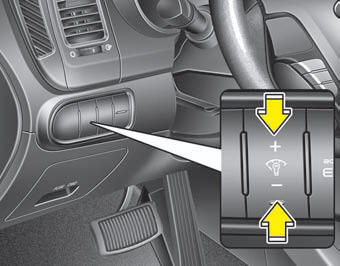
The instrument panel illumination intensity can be adjusted by pressing the control switch with the headlight switch in any position when the ignition switch is in the ON position.
The illumination intensity is shown on the instrument cluster LCD display.
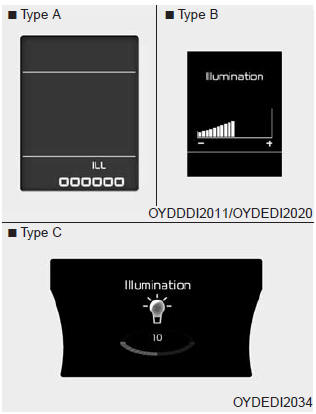
If you hold the illumination control button ("+" or "-"), the brightness will be changed continuously.
If the brightness reaches to the maximum or minimum level, an alarm will sound.
LCD Display Control
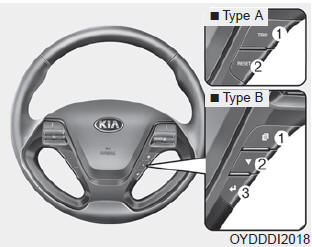
The LCD display modes can be changed by using the control buttons on the steering wheel.
[Type A]
(1) TRIP :
TRIP button for changing trip modes
(2) RESET :
RESET button for resetting items
[Type B]
(1)

: MODE button for changing modes (2)

: MOVE button for changing items (3)

: SELECT/RESET button for setting or resetting the selected item
❈ For the LCD modes, refer to "LCD Display" in this chapter.
Gauges
Speedometer
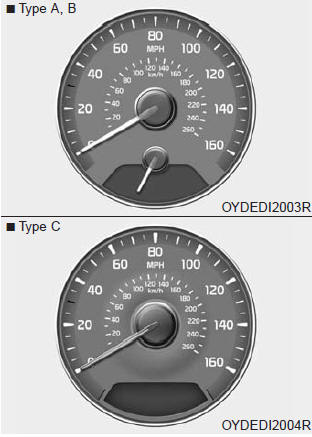
The speedometer indicates the forward speed of the vehicle.
The speedometer is calibrated in miles per hour and/or kilometers per hour.
Tachometer
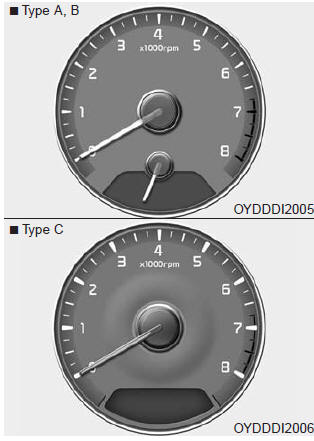
The tachometer indicates the approximate number of engine revolutions per minute (rpm).
Use the tachometer to select the correct shift points and to prevent lugging and/or over-revving the engine.
The tachometer pointer may move slightly when the ignition switch is in ACC or ON position with the engine OFF. This movement is normal and will not affect the accuracy of the tachometer once the engine is running.
CAUTION - Red zone
Do not operate the engine within the tachometer's RED ZONE. This may cause severe engine damage.
 Instrument cluster
1. Tachometer
2. Speedometer
3. Engine coolant temperature gauge
4. Fuel gauge
5. Turn signal indicators
6.Warning and indicator lights
7. LCD display ...
 Engine coolant temperature gauge
This gauge shows the temperature of the engine coolant when the ignition switch
is ON.
Do not continue driving with an overheated engine.
If the gauge pointer moves beyond the normal range are ...
See also:
Trip A/B
Tripmeter (1)
The tripmeter is the total driving distance since the last tripmeter reset.
Distance range: 0.0 ~ 9999.9 mi. or km
To reset the tripmeter, press the RESET button (Type A : RESET, ...
Valve Body Description
The valve body is essential to automatic transaxle control and consists
of various valves used to control the oil feed from the oil pump. Specifically,
these valves consist of pressure regula ...
Brake Switch Description
The present brake switch is used as an input variable for the ISG function
to detect bracke operation. ...
Categories
- Home
- Kia Forte BD 2019-2026 Owners Manual
- Kia Forte BD 2019-2026 Service Manual
- First Generation
- Second generation
- Kia Forte TD 2014-2018 Owners Manual
- Kia Forte TD 2014-2018 Service Manual
