
 Kia Forte: Smart Key
Smart Key Code Saving
| 1. |
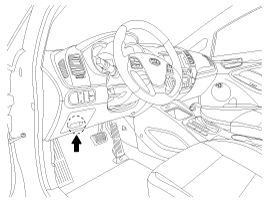
Connect the DLC cable of GDS to the data link connector in driver
side crash pad lower panel, turn the power on GDS.
|
| 2. |
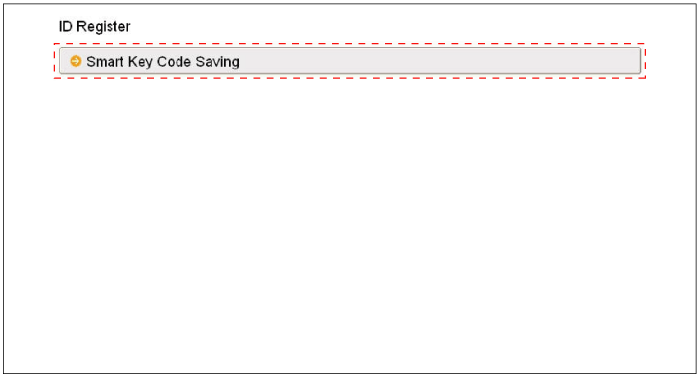
Select the vehicle model and then do "Smart key code saving".
|
| 3. |
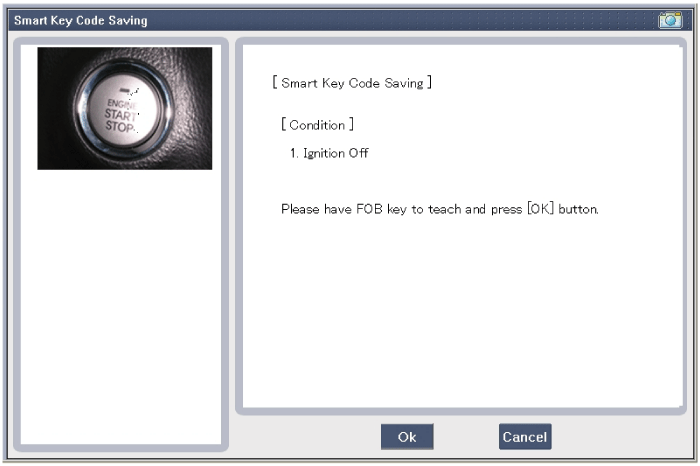
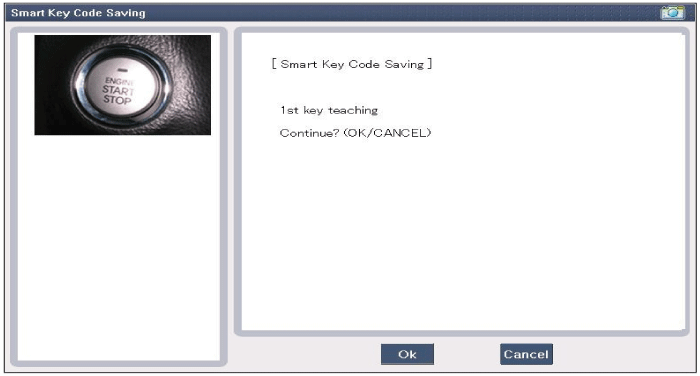
After selecting "Smart key teaching" menu, push "Enter" key, then
the screen will be shown as below.
|
| 4. |
After pushing the SSB with the teaching key, press "OK" button.
|
| 5. |
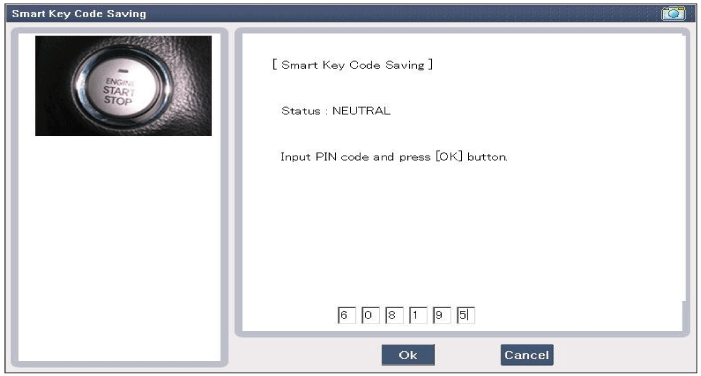
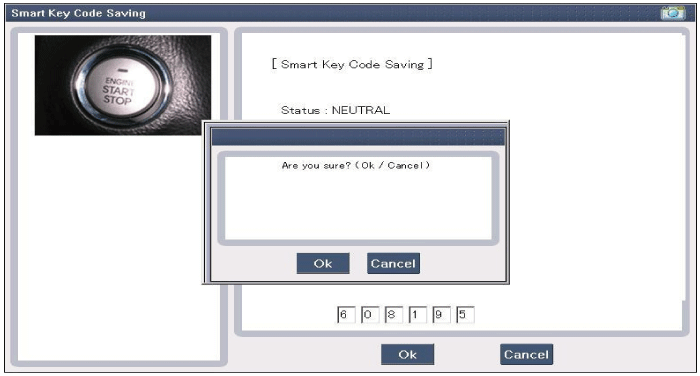
Input the "Pin code" for first key teaching.
|
| 6. |
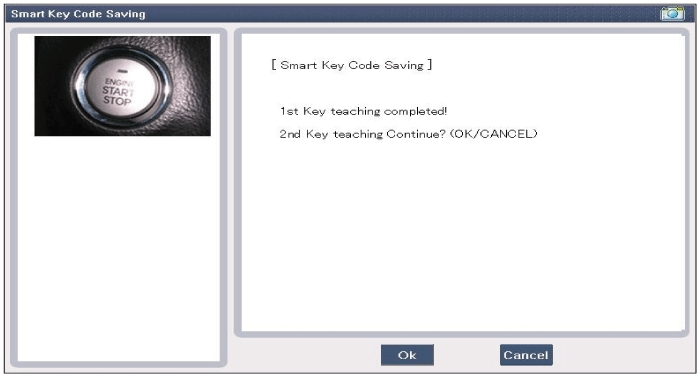
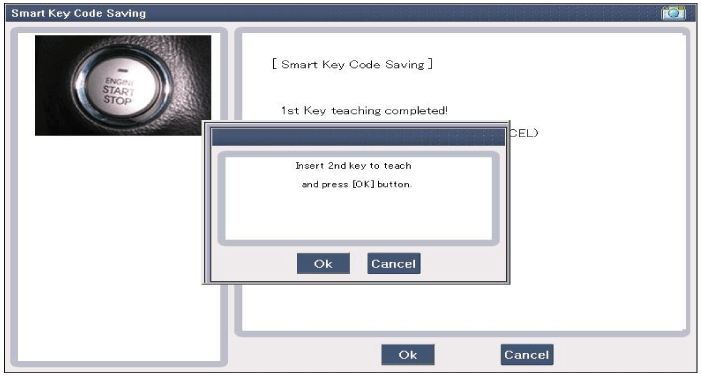
Confirm the message "First key teaching completed".
|
| 7. |
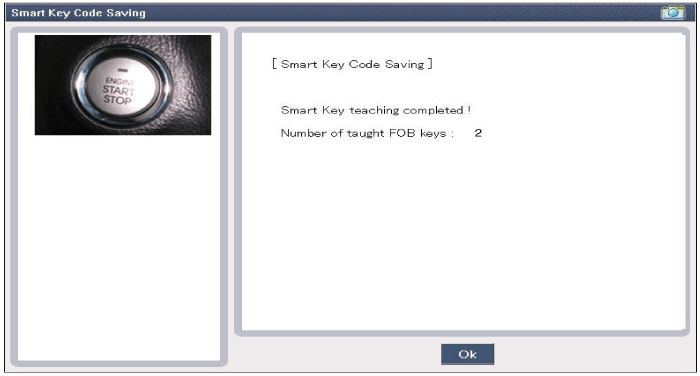
Confirm the message "Second key teaching completed".
|
| 8. |
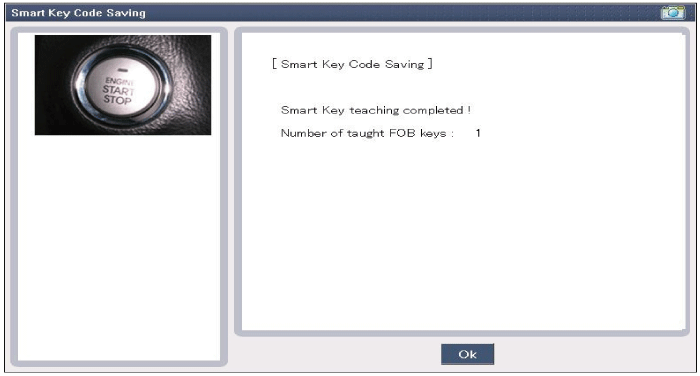
Then the screen will be shown as below when key teaching process
is completed.
|
 Operation
Passive Functions
The system allows the user to access the vehicle without having to perform
any actions (e.g. RKE button pressing) with the SMART KEY FOB. It is sufficient
that a valid S ...
 Smart Key Unit Component
Component (1)
Connector Pin Information
No.
Connector A (24 pins)
No.
Connector B (20 pins)
No.
Connector C (18 pins)
1
VBAT CPU
...
See also:
Special Service Tools
Tool
(Number and Name)
Illustration
Use
09200-3N000
Engine support fixture (Beam)
Removal and installation of the transaxle.Use this adap ...
Rear Hub - Carrier Components
1. Rear torsion beam axle assembly
2. Rear dust cover
3. Rear wheel hub assembly
4. Rear brake disc
...
Compressor Inspection
1.
Check the plated parts of the disc & hub assembly (A) for color
changes, peeling or other damage. If there is damage, replace the clutch
set.
...
Categories
- Home
- Kia Forte BD 2019-2026 Owners Manual
- Kia Forte BD 2019-2026 Service Manual
- First Generation
- Second generation
- Kia Forte TD 2014-2018 Owners Manual
- Kia Forte TD 2014-2018 Service Manual

Copyright © www.kifomanual.com 2014-2026