
 Kia Forte: Transmitter Code Registration (Using GDS)
Second generation YD (2014-2018) / Kia Forte TD 2014-2018 Service Manual / Body Electrical System / Keyless Entry And Burglar Alarm / Transmitter Code Registration (Using GDS)
| 1. |
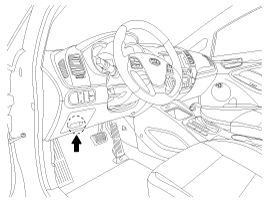
Connect the DLC cable of GDS to the data link connector (16 pins)
in driver side crash pad lower panel, turn the power on GDS.
|
| 2. |
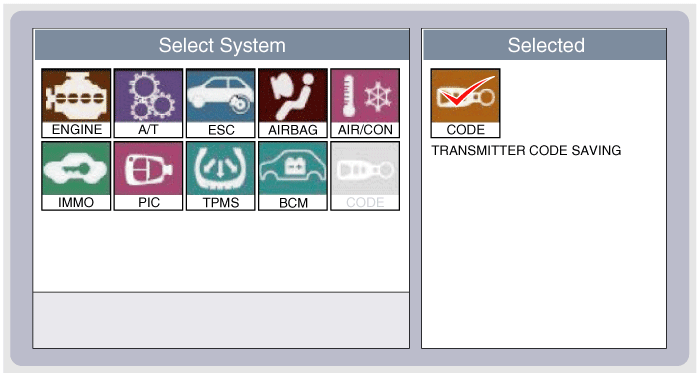
Select the vehicle model and then do "CODE SAVING"
|
| 3. |
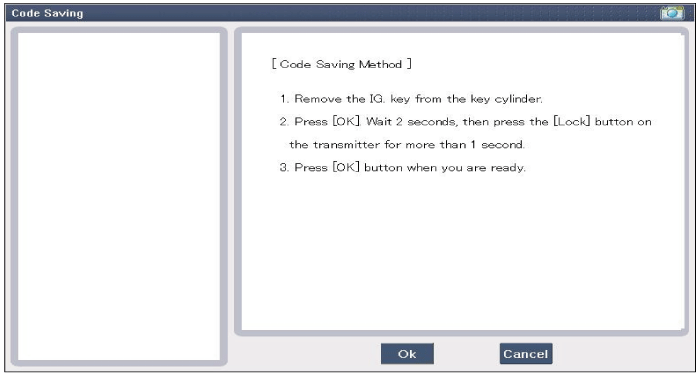
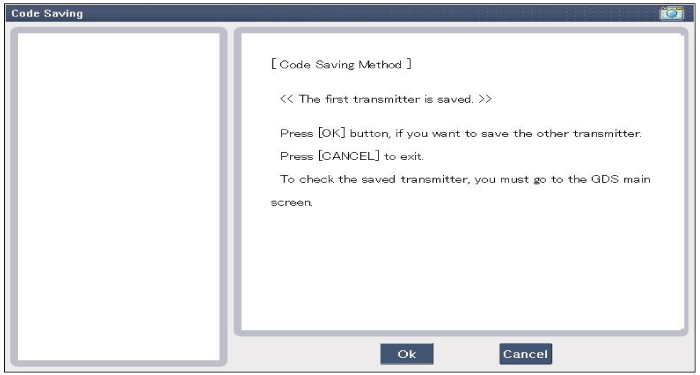
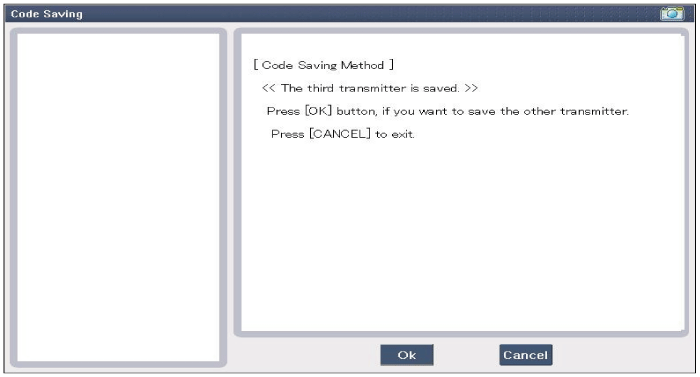
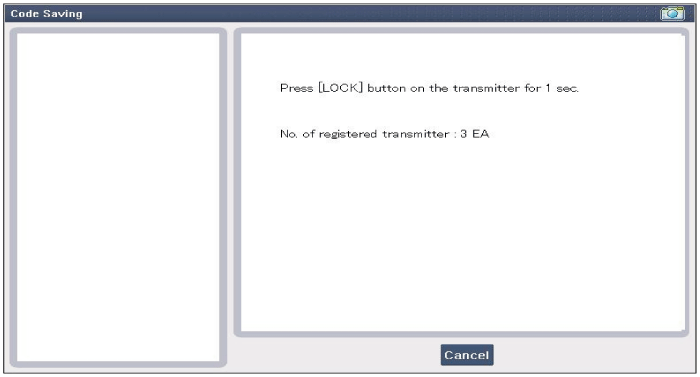
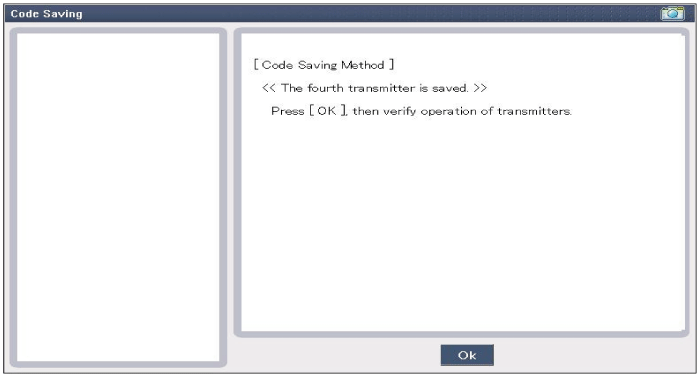
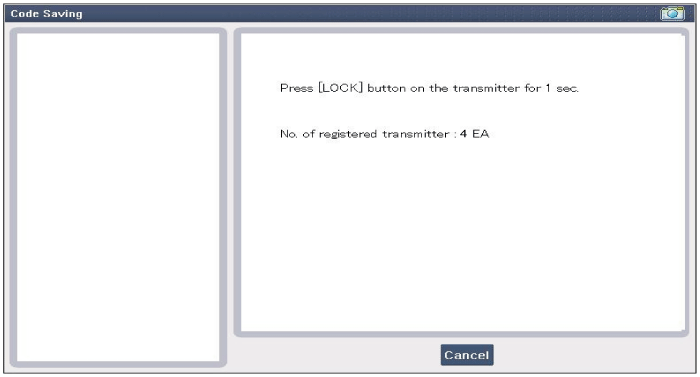
After selecting "CODE SAVING" menu, button "ENTER" key, then the
screen will be shown as below.
|
| 4. |
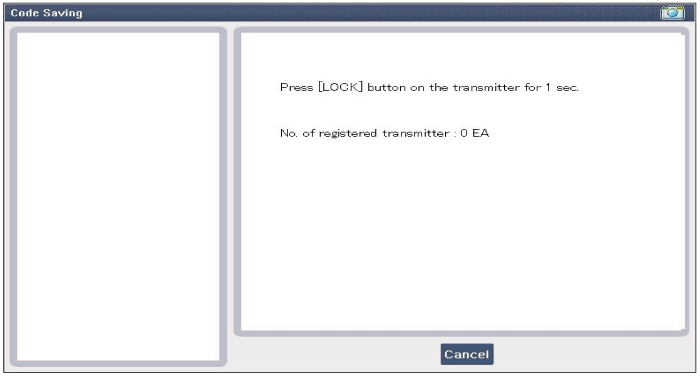
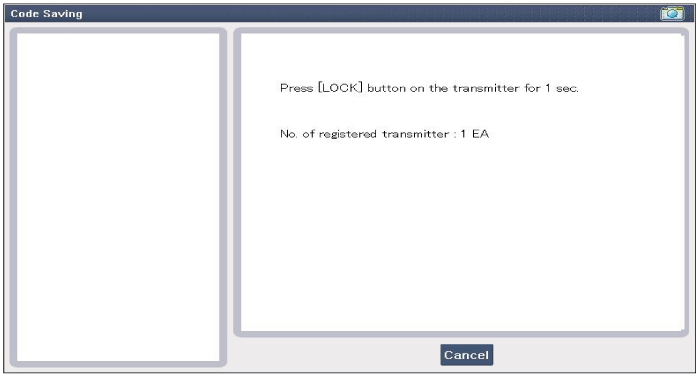
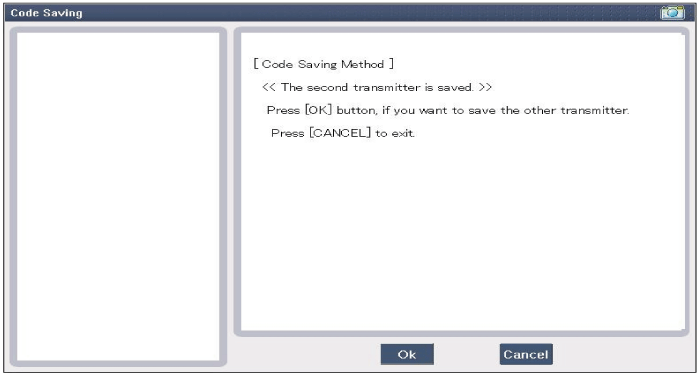
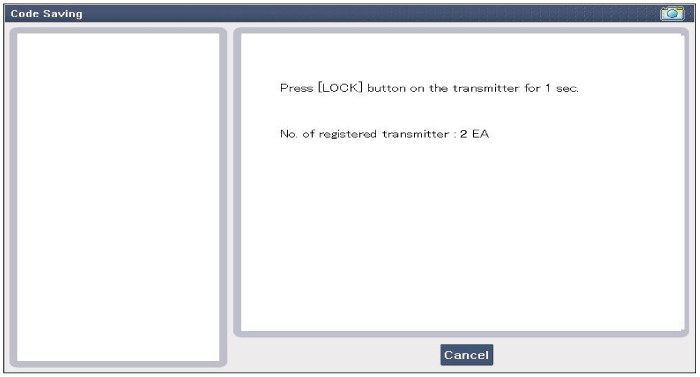
After removing the ignition key from key cylinder, push "ENTER"
key to proceed to the next mode for code saving. Follow steps 1 to 4
and then code saving is completed.
|
 Transmitter Inspection
1.
Check that the red light flickers when the door lock or unlock
button is pressed on the transmitter.
2.
Remove the battery (A) and check ...

See also:
ETC (Electronic Throttle Control) System Circuit Diagram
(M/T)
(A/T)
...
Variable Charge Motion Actuator (VCMA) Removal
1.
Turn the ignition switch OFF and disconnect the battery negative
(-) cable.
2.
Disconnect the VCMA connector (A).
...
Seat Heater (Non-Air Ventilation) Circuit Diagram
※ The cushion heater and back cushion are connected with wiring. ...
Categories
- Home
- Kia Forte BD 2019-2026 Owners Manual
- Kia Forte BD 2019-2026 Service Manual
- First Generation
- Second generation
- Kia Forte TD 2014-2018 Owners Manual
- Kia Forte TD 2014-2018 Service Manual

Copyright � www.kifomanual.com 2014-2026